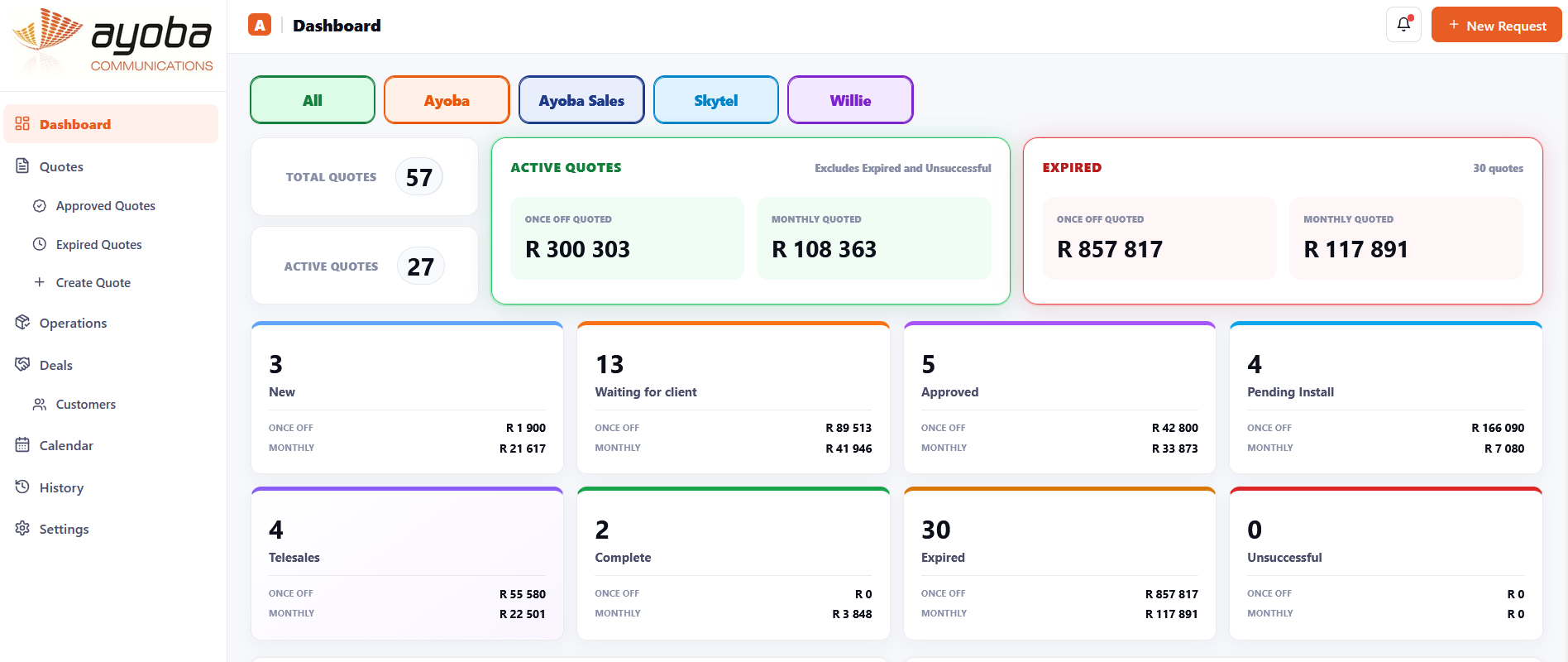
Dashboard
Pipeline at a glance
Active, approved, pending install, expired and completed values are visible immediately.
From quotation workflows and management dashboards to Android and Windows applications, Ayoba builds practical software around the way your team actually works.

QuoteFlow is an example of how we take multiple manual processes and connect them into one business platform. Sales, approvals, signed documents, operations, scheduling and client communication all follow the same job from start to finish.
The system gives management a live view of quote values and statuses while allowing sales and operations teams to work from the same source of information.
Once the customer approves and signs, the deal can move into operations, installation can be booked, technicians can be assigned and the customer can receive branded updates automatically.
A workflow can be designed around your exact business process rather than forcing your staff to work around generic software.
Capture customer information, once-off items, monthly services and commercial details.
Send a branded quote and supporting document directly from the workflow.
The customer can approve or reject online and the signed document is kept with the deal.
Approved work is handed over with customer, stock, quote and installation information intact.
Assign the technician, date and time in a shared calendar without a separate spreadsheet.
Management sees progress while the customer receives clear updates throughout the journey.
Different views can be designed for management, sales, telesales and operations so each person sees the information that matters to them.
Active, approved, pending install, expired and completed values are visible immediately.
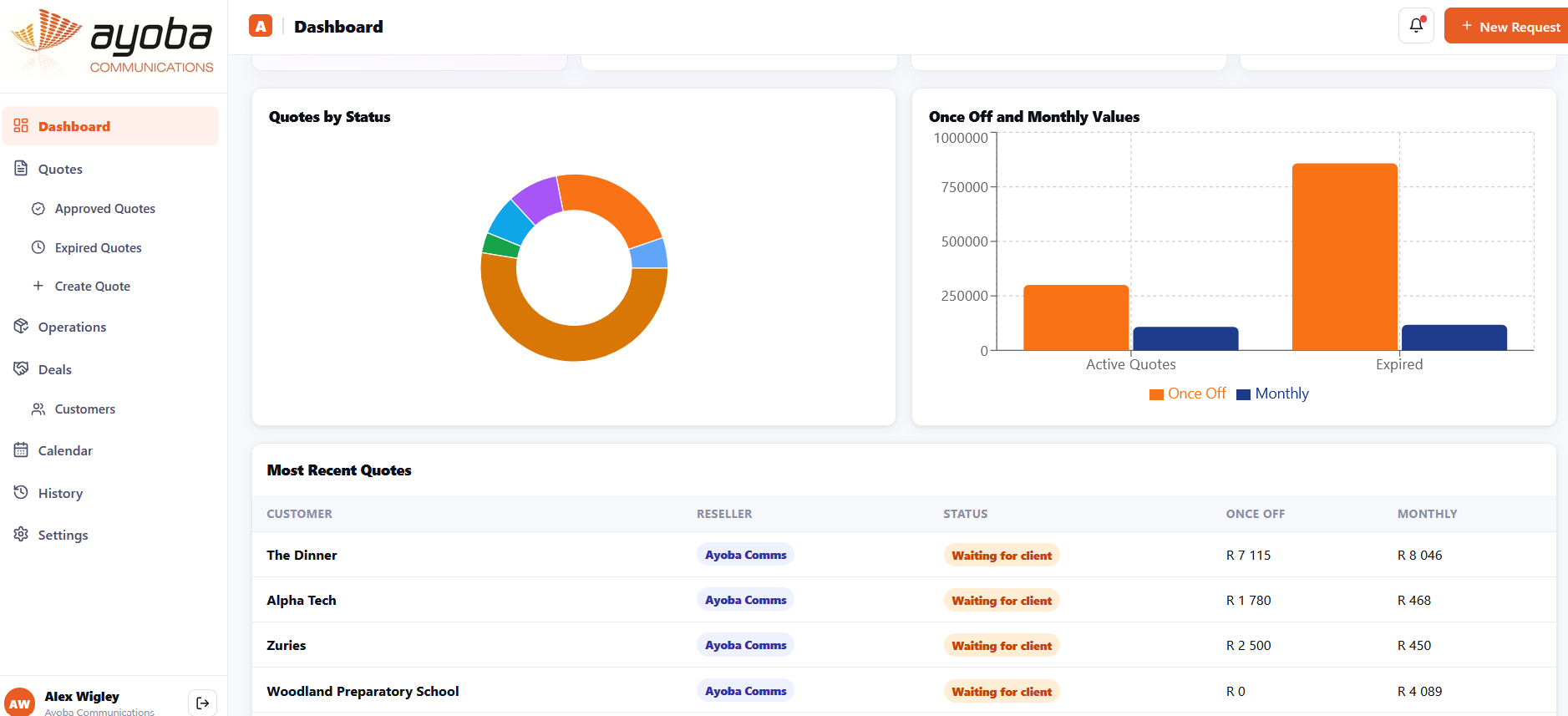
Management can see value trends, quote status distribution and the latest customer activity.
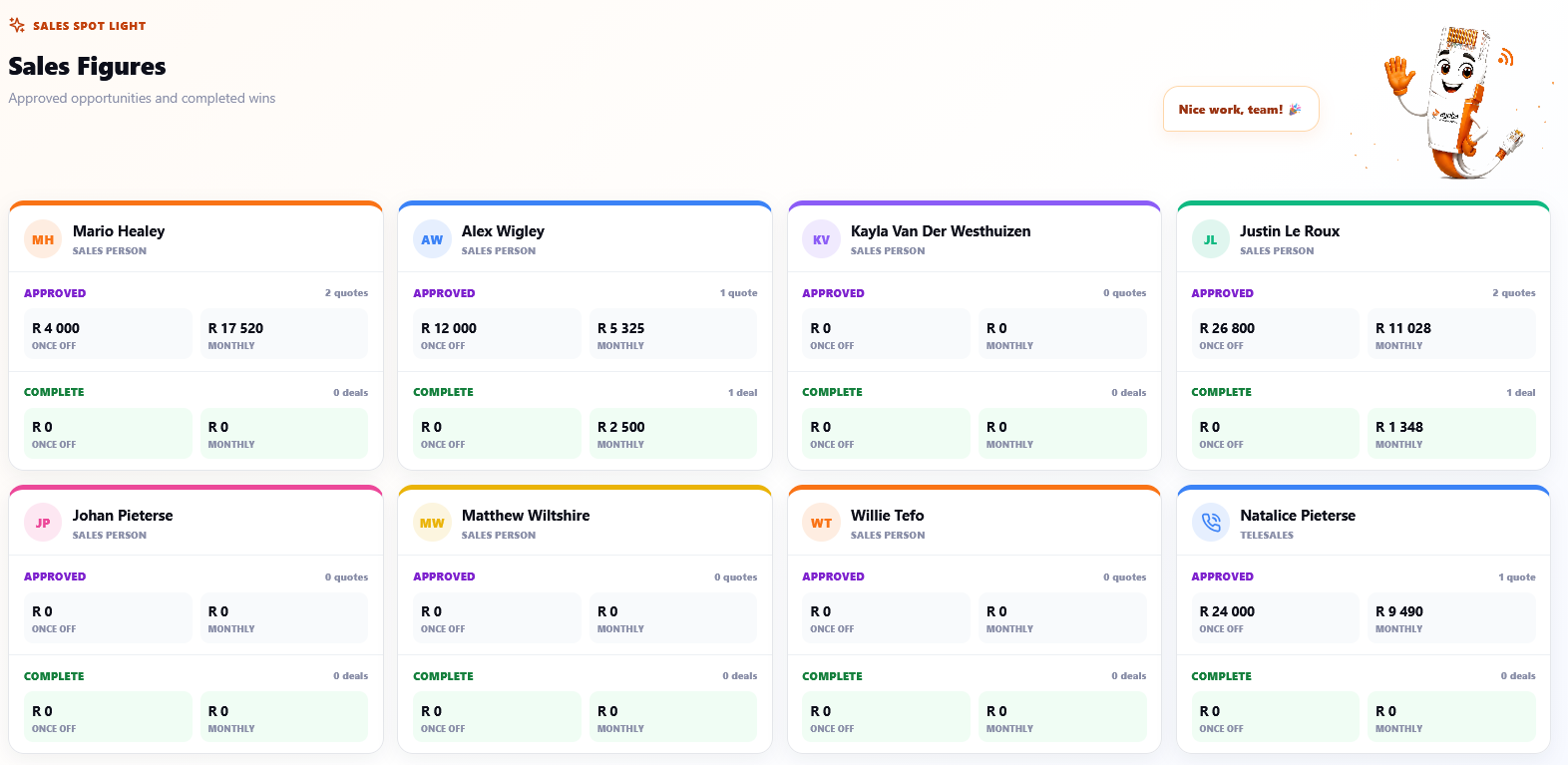
Approved opportunities and completed wins can be broken down by individual salesperson.
Instead of recreating information after a deal is signed, QuoteFlow carries the same customer and job data forward into delivery.
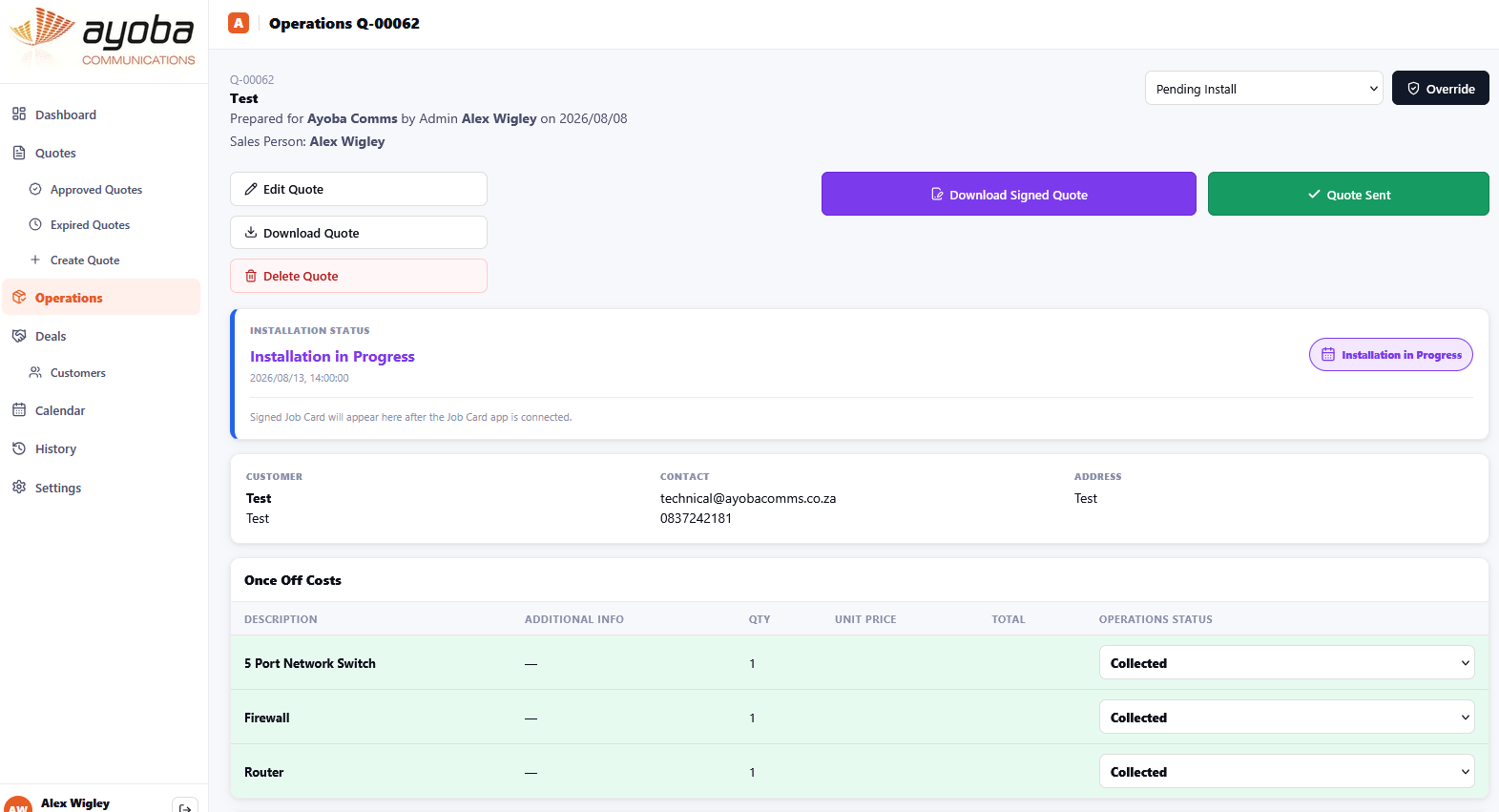
Installation status, signed documents, customer details and required equipment stay connected to the approved quote.
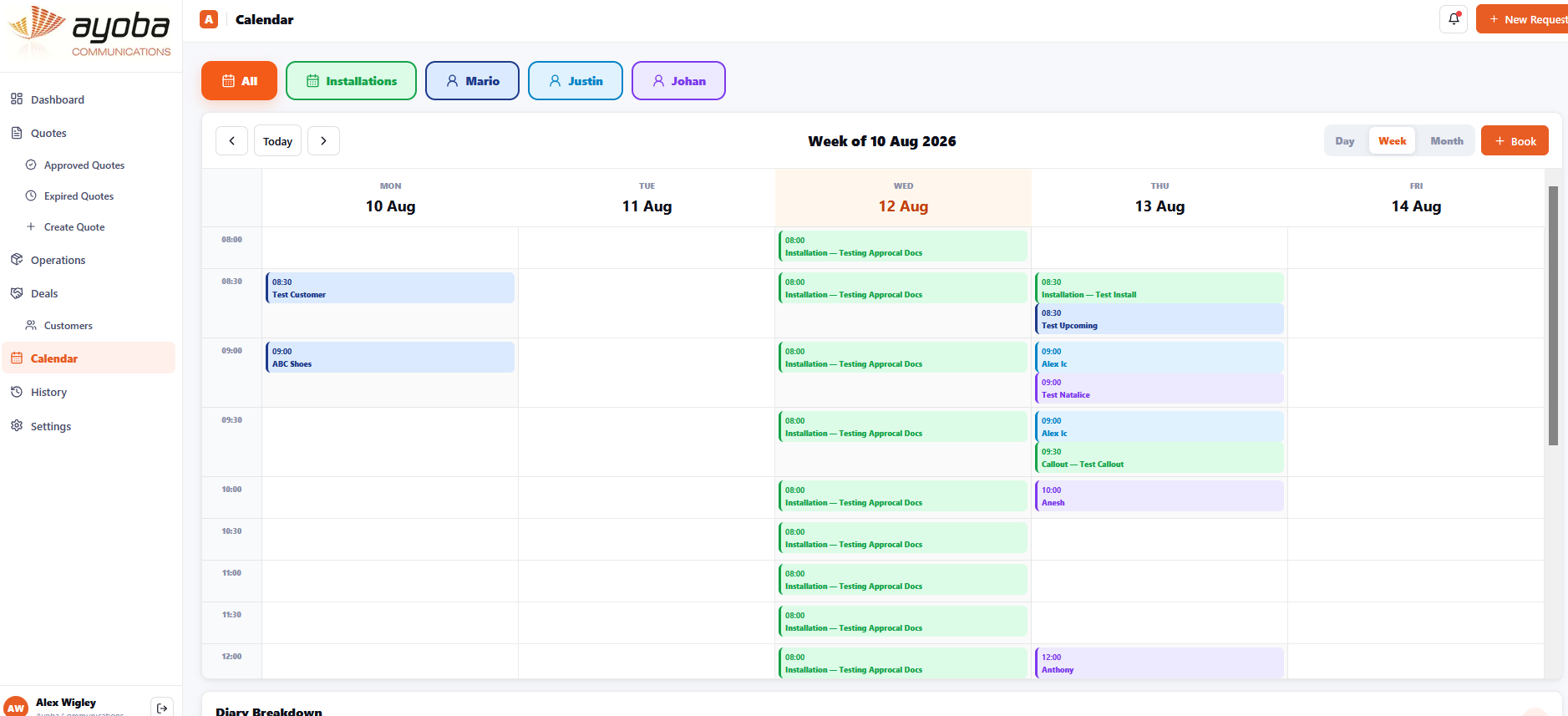
A shared diary shows installations and appointments by technician, team and date.
The customer does not need access to the internal dashboard. They simply receive clean, branded communications and action pages when they need to approve, confirm or follow progress.
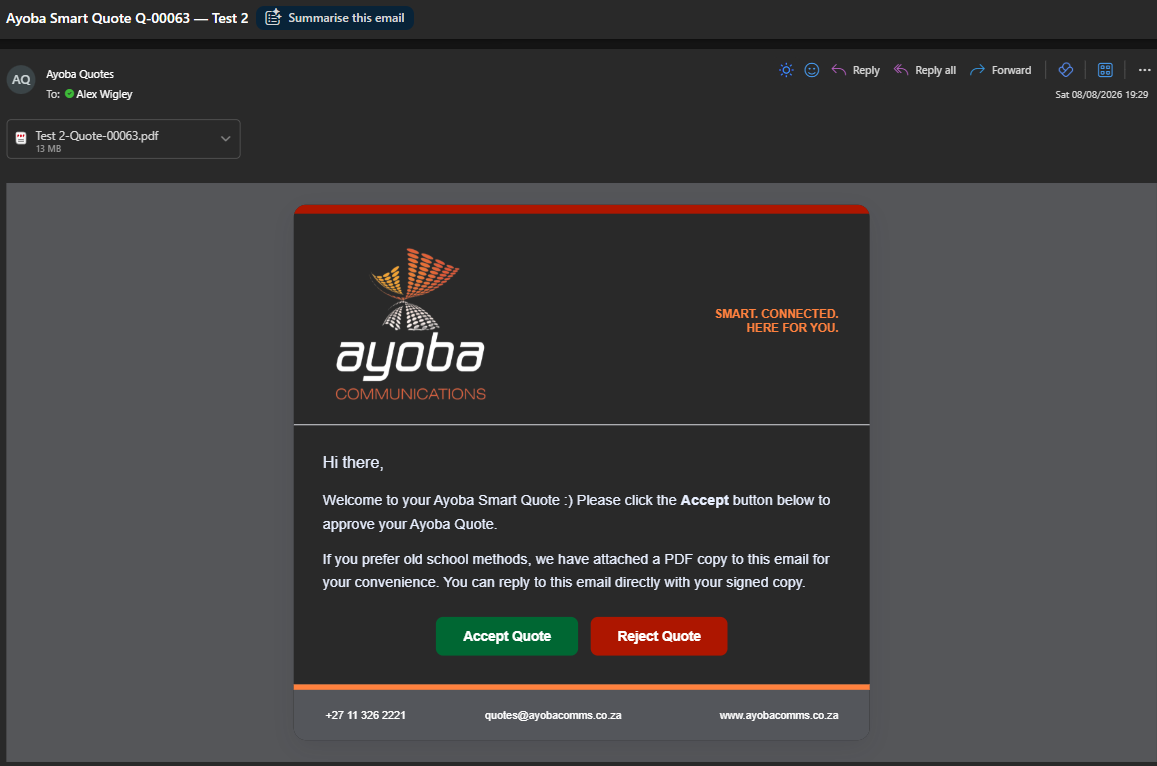
The client receives the quote with clear actions instead of a long email chain.
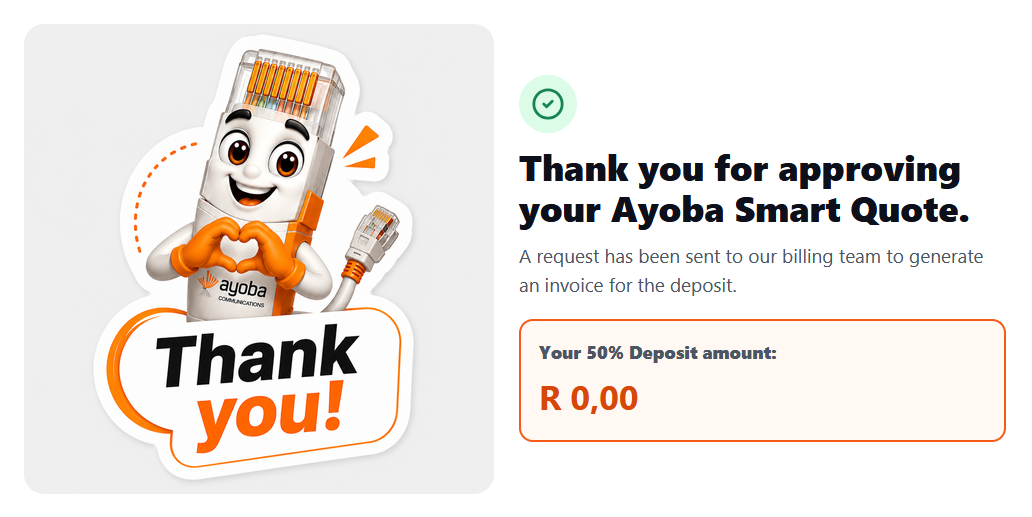
After approval the client sees a clear confirmation and the next commercial step.
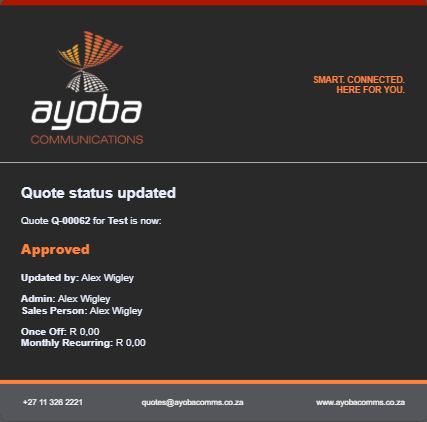
As the workflow changes, branded notifications can keep the customer informed.
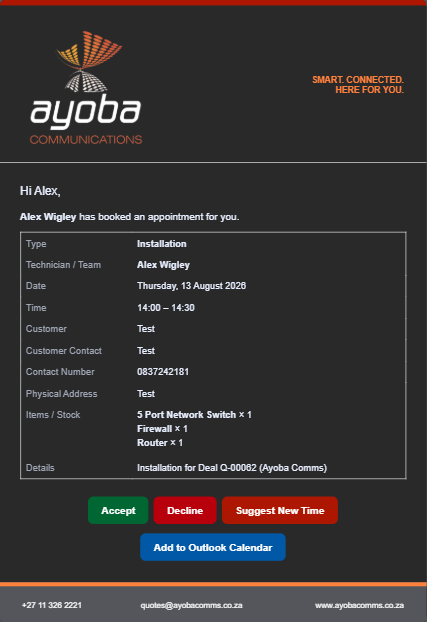
Installation details can include accept, decline, suggest-new-time and calendar actions.
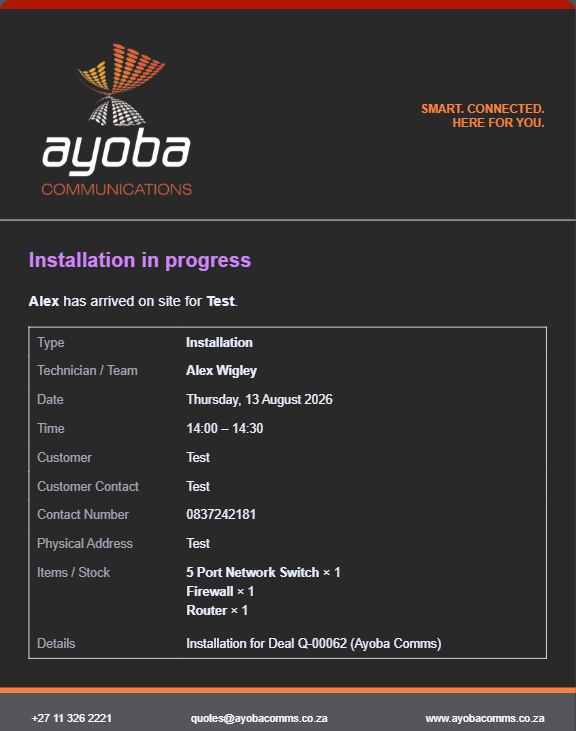
Customers can be told who is on site, what is being installed and when the job is in progress.
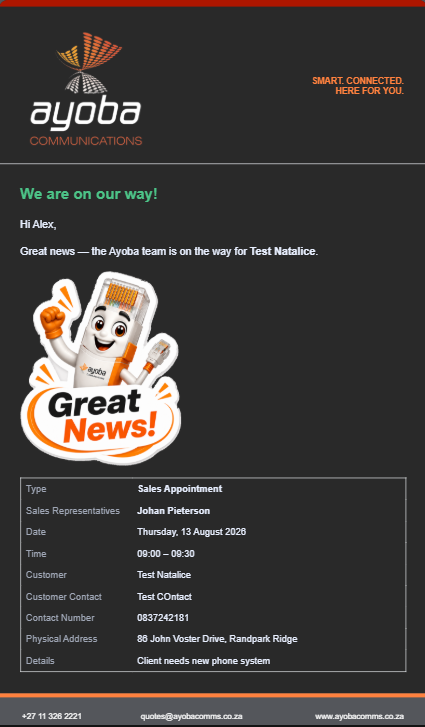
Branded notifications make even routine operational updates feel polished and professional.
Information moves with the job instead of being re-entered by each department.
Statuses and ownership make it obvious what is waiting and who needs to act.
Professional emails and confirmations keep the client informed without manual chasing.
The workflow, permissions and automation can be tailored to the way your company operates.
Our SoftPhone projects show how the same development approach can extend beyond dashboards. A business service can be turned into a branded application for mobile and desktop users.
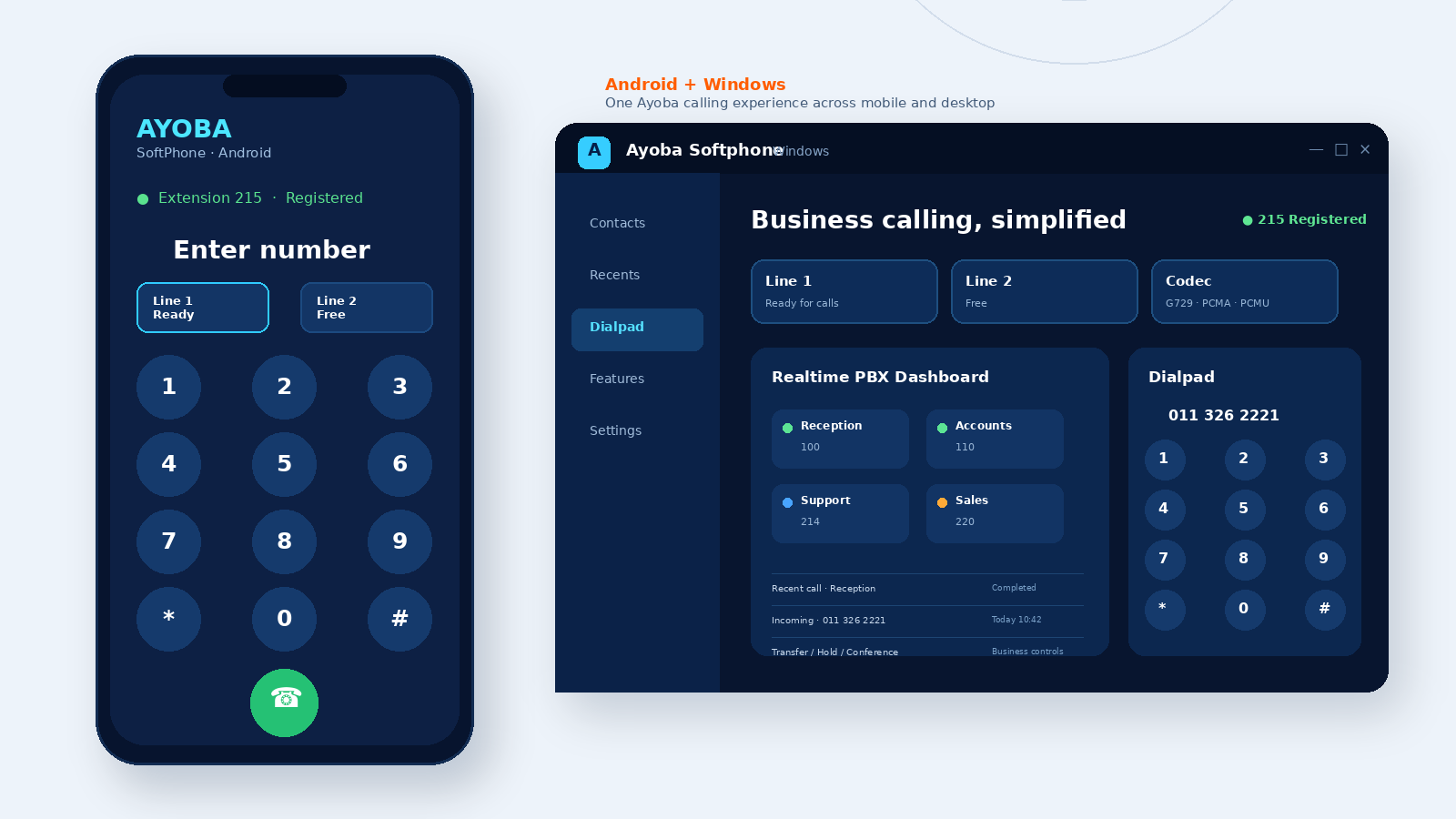
We do not force your call centre into off-the-shelf software. We can develop the platform around your exact process — from branded agent screens and custom dispositions to live reporting, call recordings, contact lists and campaign-specific data capture.
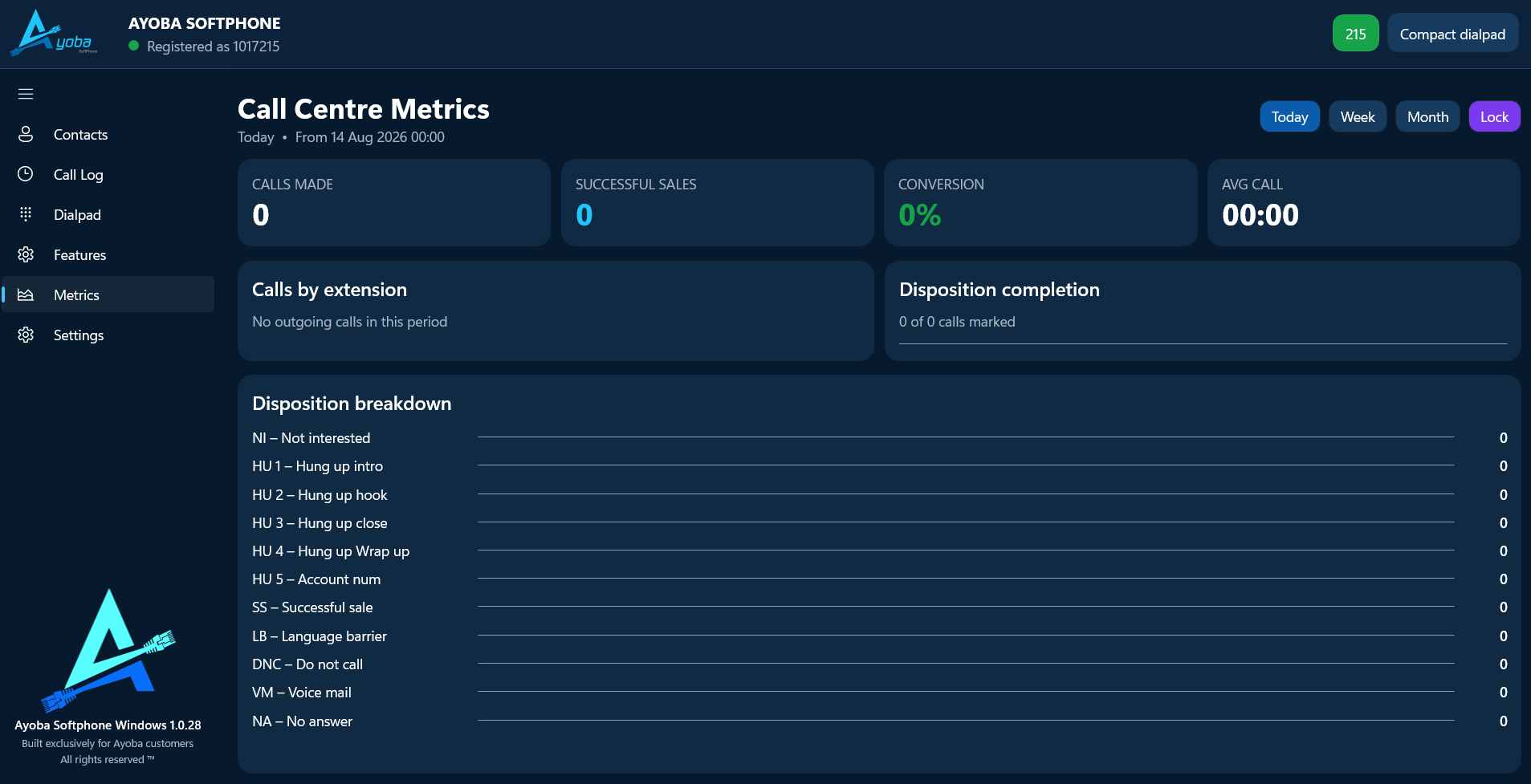
Track calls made, successful sales, conversion, average call time and disposition completion with reporting views built around the way your team measures performance.
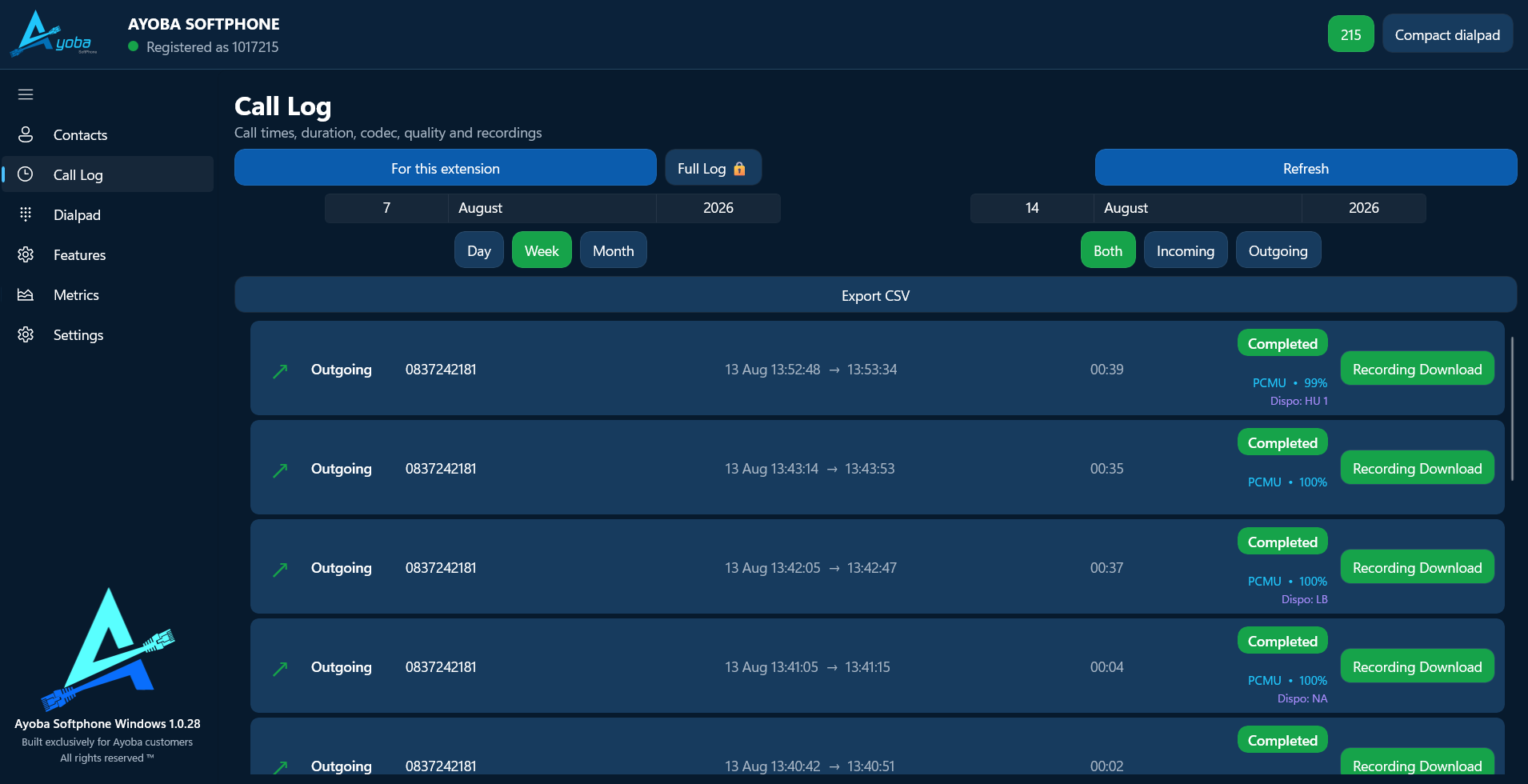
Give supervisors and agents filtered call history with duration, codec, quality, dispositions, export options and recording download where required.
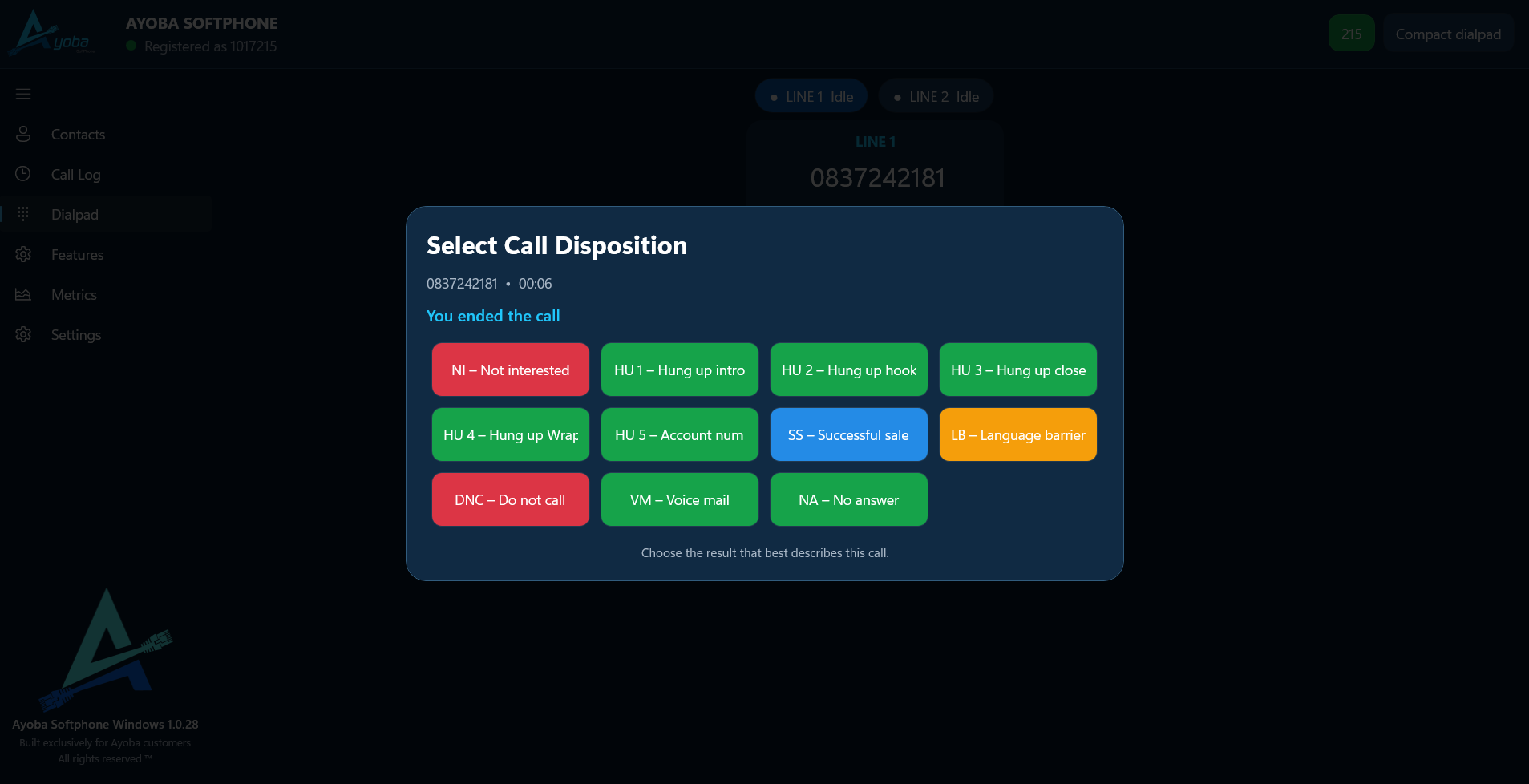
Capture the exact outcomes your call centre needs — successful sale, no answer, language barrier, voicemail, DNC or your own campaign-specific statuses.
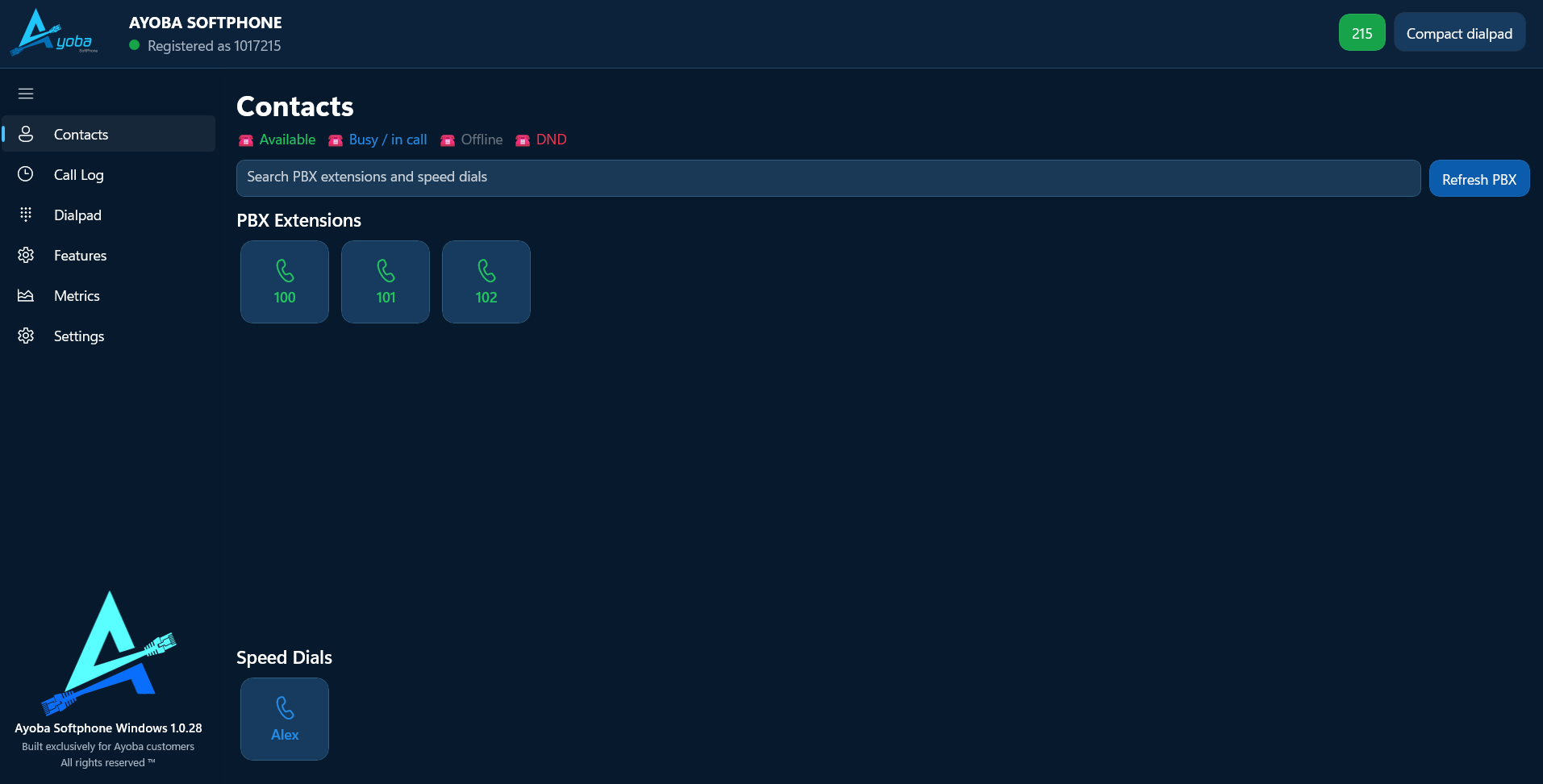
Surface internal extensions, speed dials, presence states and searchable contact lists so agents can move faster and stay inside one application.
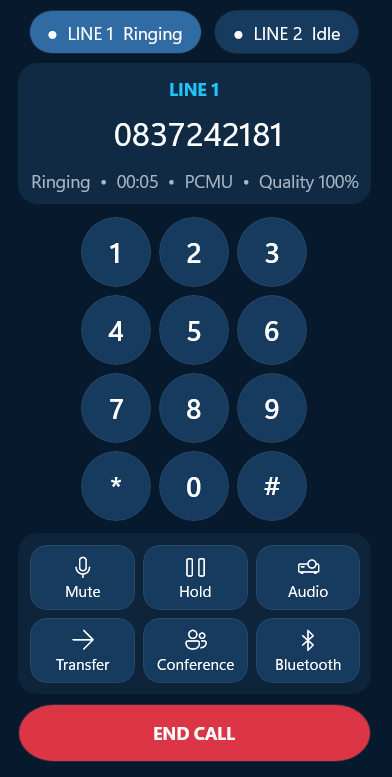
Provide practical call handling tools such as mute, hold, audio, transfer, conference and Bluetooth without needing a separate desk-phone interface.
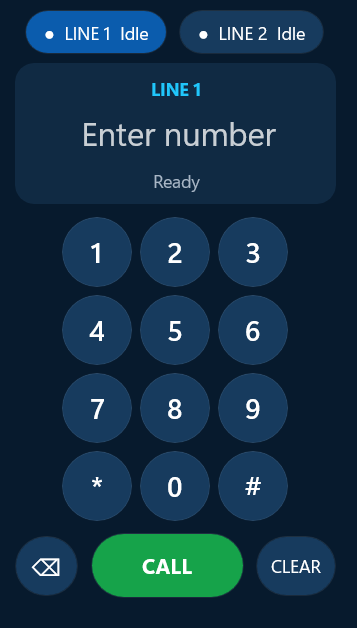
Build a clean mobile-ready interface with line visibility, dialpad actions and the exact feature set your agents need for business calling on the go.
Disposition buttons, forms, outcomes and campaign fields can be designed around the exact information you want agents to capture.
Dashboards can show live performance, conversions, call outcomes and operational trends without waiting for manual reports.
Call logs, recordings and history views help with quality control, coaching, compliance and customer follow-up.
Whether you need telesales, support, collections or service follow-up, we can tailor the software to your call centre workflow.
Show us the spreadsheets, emails, forms and repetitive steps your team works through every day. We can help turn them into one connected system.